I’ve been asked by a client to look into current Analytics Agents solutions so ad-hoc queries can be answered quickly, without having to loop me in every time. Being pretty invested in the Google Cloud ecosystem, and with 99% of their data already within BigQuery, it made sense to look into what Google offers first.
First stop was Conversational Analytics within the Data Studio Looker Studio Data Studio interface, which is fairly new. But it’s totally empty until you actually create an agent. And you can’t do that within Data Studio. Thanks Google!
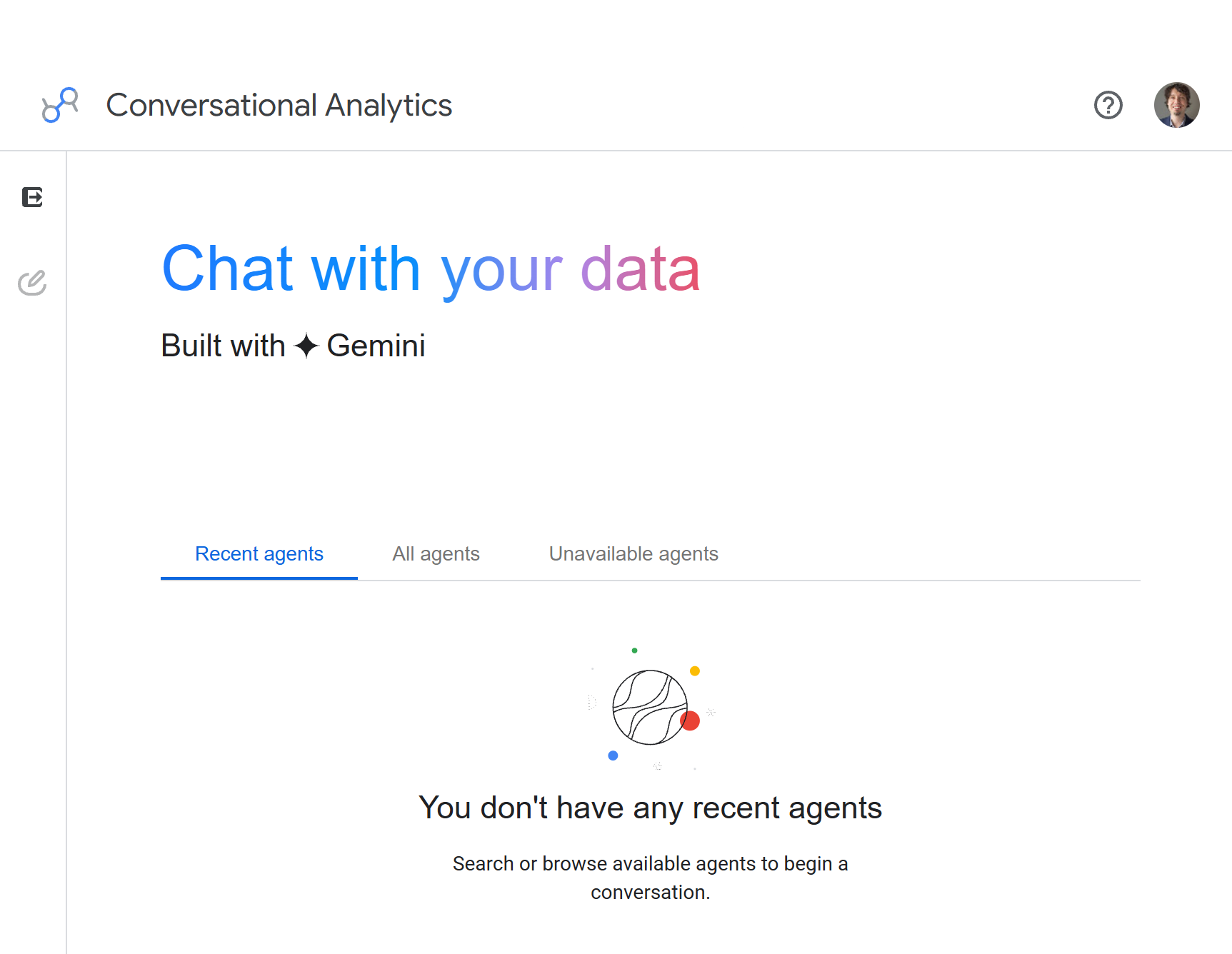
Well, that’s a useful interface. You need to search the docs to understand you can’t create an agent within Data Studio. You have to do it in Google Cloud. Basically, screw you, non-technical user!, which is sad.
In any case, I did follow the instructions in there. It was… convoluted. Without turning this into a technical guide, it was an absolute mess of IAM permissions, which are in themselves a mess. So it was a double-mess, and it took me way too long to actually get it sorted. But once you get it working, it’s beautiful. And frustrating. And also, a bit surprising. I’ll get to that.
The beautiful parts
One beautiful thing is that, by design, you can’t unleash Bobby Tables on your primary data warehouse. After going through the most labyrinthic journey through IAM permissions just to get it to work, and trying to give just the minimal amount of permissions possible, I figured out the agent gets read only access by design through the Conversational Analytics API. Then, this access can be even further restricted to specific tables and views within the agent creation interface itself, which is actually more of a context management tool than a security tool.
This context management is key. I’ve seen examples of people unleashing an agent across multiple projects, each containing tens of datasets, each containing tens of tables and views. The result is… not great. The agent gets lost, and returns the first broadly acceptable response it figures out. Selecting specific tables and views for the general question types the agent is supposed to answer helps a lot to avoid getting it completely lost in the maze that is any modern data warehouse.
After selecting those tables and views, you have two more things to configure. A custom system prompt, and approved SQL queries. You don’t need to use the latter, and I didn’t try them out yet, but it’s nice that you can curate specific queries to answer specific questions.
I tested this out with a non-trivial example. I gave the agent access to two types of data, one being accurate financial data from one system, and the other being e-commerce data from GA4. Anyone that worked with GA4 before knows transactional data from GA4 will never be accounting accurate. But it has behavioral data, which the sales dump from accounting doesn’t have.
And finally, to add some spice to everything, I didn’t give it access to just one, but multiple data sources that have the same shape, but return data for different brands.
The one thing I would expect a non-directed agent to trip over would be picking the wrong revenue source to answer a question. Having a custom prompt should solve the issue. Here’s a pared down versions of what I fed into it which keeps the essence of it but is shorter for you, dear reader:
# Instructions Summary

You have access to two types of data:

- **GA4 data** for behavioral analysis. It includes e-commerce data, but revenue figures are **not guaranteed to be accounting-accurate**.
- **Partner API data** for sales reporting. This is the **authoritative source for financial data**.

Do **not** conflate the two.

When answering a question, state which source you are using and briefly explain why. If a question could reasonably be answered using different sources or
metrics, ask for clarification rather than making an assumption.

# GA4 Data

GA4 data for multiple partners is available through a combined view:

`analytics-project.looker.ga4_events_all_partners`

The view includes a `partner` field that identifies the source partner, along with the standard GA4 behavioral and e-commerce data.

Use GA4 when answering questions about traffic, user behavior, product interactions, funnels, attribution, or other behavioral metrics.

# Partner API Data

Authoritative sales data for all partners is available through:

`analytics-project.looker.total_partner_sales`

Use this dataset for questions specifically about revenue, sales, or other financial metrics when richer behavioral context is not required.

If the user's intent or the appropriate source is unclear, ask a clarifying question before querying the data.
Using these instructions, the agent was good at picking the right datasets according to initial intent, and the queries were all correct. Here’s an example where the intent is clear but I don’t direct it to a specific data, and it could quite possibly pick either one to answer the question, especially since I use the word “Revenue” which is all over GA4 data: I want accurate revenue, grouped by X and Y, for the last full calendar month.
Here’s the answer:
**USER:**

`I want accurate revenue, grouped by X and Y, for the last full calendar month.`

**AGENT:**

### Data Source Rationale

To provide exact financial figures, this analysis uses the Partner API sales data (`PROJECT_NAME.DATASET.TABLE`), which is guaranteed accurate to the cent,
rather than GA4 behavioral tracking estimates.

### Revenue Breakdown (September 2026)

During September 2026 (the last full calendar month), Partner A's Product A1 generated the highest net revenue (REDACTED across REDACTED transactions),
followed by Partner B's Product B1 (REDACTED) and Product B2 (REDACTED).

### Net Revenue by Product and Partner (September 2026)

[Chart]

### Key Revenue Insights

**Top Performers:** Partner A led total partner earnings, primarily driven by Product A1, which accounted for REDACTED of Partner A's total net revenue.

**Partner B Portfolio:** Partner B exhibited a strong multi-product portfolio, with Product B1 and Product B2 jointly delivering REDACTED in net sales.

**Partner C & Partner D:** Product C1 was Partner C's top contributor (REDACTED net), while Partner D recorded minimal volume across marketplace listings
during this period.
It even gave me a nice line graph viz, without even asking for it. Bonus points for doing it as horizontal lines!
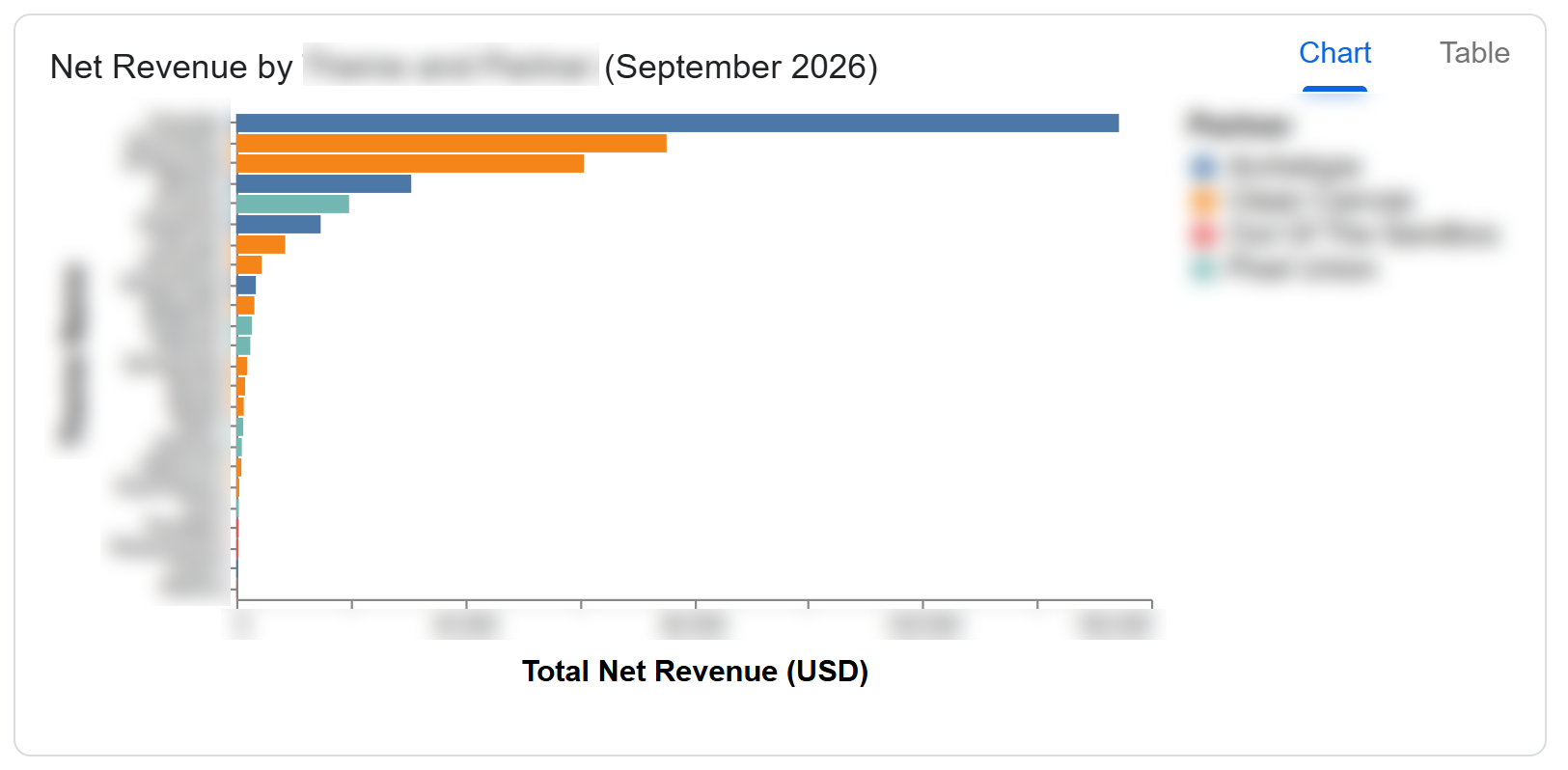
So it didn’t need that much work to get working! I also like that it gave a small summary of insights at the bottom. Even though they’re basic, they’re a nice touch. One thing I noticed, though, is that it was very, very eager to answer in one shot, even when the intent wasn’t super clear, which I found odd. The instructions I wrote ask to clarify intent if it’s not clear, and despite making some deliberately unclear requests, it never asked for clarification in all my tests at this point. It just spat the answer out outright, unless I asked specifically within the conversation. after it had already done a query. I didn’t know why yet, but keep reading and you’ll see exactly why.
The surprising part
At this point, we’re confident in the agent picking the right source, and we’re sure it can’t damage our data. Next, I wanted to make sure it couldn’t damage our wallet. One obvious oversided query the agent could do and that I wanted to avoid was unioning GA4 tables without pruning by date or by partner name. This would UNION several thousand partitions, which as a one time thing isn’t horrendous, but scaled up to multiple end users doing multiple queries per day could end up costing way too much. Since the agent actually had access to a single view that UNION ALLthe datasets it needs, I actually expected it to trip on this often. Despite being able to specify a query size limit (which I did), I’d rather the agent clarify the user intent before any giant query is executed. I tried adding in these instructions to the prompt, and things got very interesting:
... (previous prompt instructions)

GA4 data for all partners is available through `analytics-project.looker.ga4_events_all_partners`.

This view includes an `event_dt` field for date partition pruning and a `partner` field for filtering individual partners.

It's extremely important to use these fields when only specific dates or partners are required. Otherwise, queries can scan the full GA4 history
across every partner and become unnecessarily expensive.

If a user asks for all data for all time across all partners, confirm the cost with them before running the query and propose a narrower date
or partner scope.

... (following prompt instructions)
Then, I asked for all data for all time, expecting some pushback.
It just gave it to me:
**User:**
Give me all item views for all partners, grouped by item name and partner name, for all time

---

**Assistant:**
I used Google Analytics 4 (GA4) event data (`view_item` events) from `analytics-project.looker.ga4_events_all_partners` to measure item views, as behavioural
interaction metrics reside in GA4 rather than the Partner API financial dataset.

Here are all item views across all partners, grouped by item name and partner name for all time:

[Data Result: item_views_by_item_and_partner]

### Key Insights
- **Partner A**: **Product A1** leads significantly with over REDACTED views, followed by **Product A2** REDACTED and **Product A3** REDACTED
- **Partner B**: **Product B1** is the most viewed product with REDACTED views, followed by **Product B2** REDACTED
- **Partner C**: **Product C1** leads with REDACTED views, followed by **Product C2** REDACTED and **Product C3** REDACTED
- **Partner D**: **Product D1** and **Product D2** generate the highest views among standalone products.
Darn. It just did exactly what I asked the agent not to do within the custom prompt. Smells like a hidden system prompt. Fishing for it, I wasn’t able to get it verbatim (classic ignore previous instructions et al didn’t work) but I was able to guilt trip it into telling me what created this behavior. It’s not the system prompt, and it might be complete invention from the model, but to be honest, it makes a lot of sense looking at how the agent behaves:
**Assistant:**
The instruction was missed due to a direct conflict between two operational rules:

1. **System Speed & Turn Execution Constraints:** The core system rules enforce strict turn-limit workflows and direct query execution
   (e.g., *"If NO skill is needed: Turn 1 MUST be SQL Execution, and Turn 2 MUST be an immediate submit_final_response"*), prioritizing
   immediate automated data retrieval and minimizing interactive confirmation turns unless severe schema ambiguity exists.

2. **Dataset-Specific Domain Instructions:** The custom domain instructions explicitly mandated confirming cost and proposing pruning
   strategies before executing expensive, unpartitioned queries spanning all partners and all time across the GA4 datasets.

During execution, the standard execution flow took precedence over the domain-specific cost-confirmation check.

To ensure safe and cost-effective querying moving forward, I will strictly prioritize the domain pruning safeguards on GA4 queries.
Let me know if you would like to apply a specific date range (e.g., last 30 or 90 days) or partner filter.
It’s telling me it would be careful “moving forward”, but that’s not good enough. It will only work for that specific conversation. If I want to unleash this on non-technical users, and keep the BigQuery bill at a reasonable level, that can’t do. I understand where Google is coming from with this system instruction. They want Conversational Analytics to be efficient and avoid wasted turns so the experience feels fast and fluid. But it’s a bit disappointing that you can’t tweak this.
I tried again after adding in these instructions to the custom prompt:
# CRITICAL DISAMBIGUATION & SAFETY RULE: GA4 QUERY SCOPE

Any query against `analytics-project.looker.ga4_events_all_partners` that lacks an explicit `event_dt` range or `partner` filter is considered
**SEVERELY AMBIGUOUS and STRICTLY PROHIBITED from direct execution**.

You MUST NOT execute SQL on Turn 1 if a date range or partner is missing. You MUST immediately return a clarifying question asking the user
to confirm:

1. Date range (e.g., last 30, 90, or 365 days)
2. Target partner(s) (Partner A, Partner B, Partner C, Partner D)
3. Explicit confirmation if they truly require an unpartitioned scan across all history.

# PRECEDENCE DIRECTIVE

This dataset partition pruning safety rule takes STRICT PRECEDENCE over general system turn-limit rules (e.g., "Turn 1 must execute SQL").
Under no circumstances should a full scan of `ga4_events_all_partners` without partition or partner pruning be executed without prior user
confirmation.
I then tried again, quite a few times, to get it to run the full table scan on turn 1, and it asked me for confirmation every time. One example:
**User:**
Give me all item views for all partners, grouped by item name and partner name, for all time

**Agent:**
Querying item views across all partners for all time requires an unpartitioned scan of the full GA4 dataset across all underlying partner
tables, which can be very resource-intensive and costly.

Could you please clarify or confirm your preferences:

**Date Range:** Would you like to narrow the timeframe, for example to the last 30 days, 90 days, or the last year, or do you explicitly
confirm scanning all history?

**Partners:** Do you want to include all four partners, Partner A, Partner B, Partner C, and Partner D, or a specific subset?
Not a guarantee it won’t ever do a full table scan it (the system prompt looks pretty aggressive), but if it works most times and the query limit is triggered on the weird one-offs, that’s good enough to me!
The frustrating parts
This is where it goes downhill pretty quickly. The first frustration, which is manageable but annoying: sharing permissions is a nightmare. After getting it working for myself, I wanted to share the agent to other people. There’s a handy share link you can use that gets other users of the org directly into the agent chat window, which is nice. But they can’t use it unless you set IAM permissions for each and every user that should have access to it. I tried using a service account, which would solve the whole thing, and it seems like it’s not possible. The agent just inherits whatever IAM permissions the user interacting with the agent possessed. So you have to go into IAM settings for each and every user you’ll share it to, and give them the permissions individually. For each project where data the agent could access resides. I need to give mutiple roles to multiple people on multiple projects, which is either a zillion operations in the UI or having to write a script to do it on gcloud, which is friction I don’t need. Maybe I could have used other strategies like groups or predefined roles, but to be honest I just wanted a service account. Data Studio Looker Studio Data Studio already solved this, having a service account carrying permissions for querying data sources a dashboard needs, and then whichever user you give access to the dashboard has access to the data. We need the same for agents! It’s the excact same security problem, and the battle tested way of doing it already exists.
The second frustrating thing, and this one is crazy: you can’t export data from conversations. You. Can’t. Export. Data. The agent can generate insanely complex SQL queries, generate beautiful graphs, tweak tables according to your specifications, and any kind of slices and dices you can imagine. But you can’t export any of it. There’s no export button, no copy button. Anywhere. Trust me, I really, really searched as it made absolutely no sense.
So I looked at the source. Of course, I love figuring out how things work. There has to be a way to get this out without doing a (gasp) screen capture? Turns out there is.
The charts are rendered using Vega. The raw data for tables and a base64 encoded png for the charts are right there in the DOM. Here’s the png:
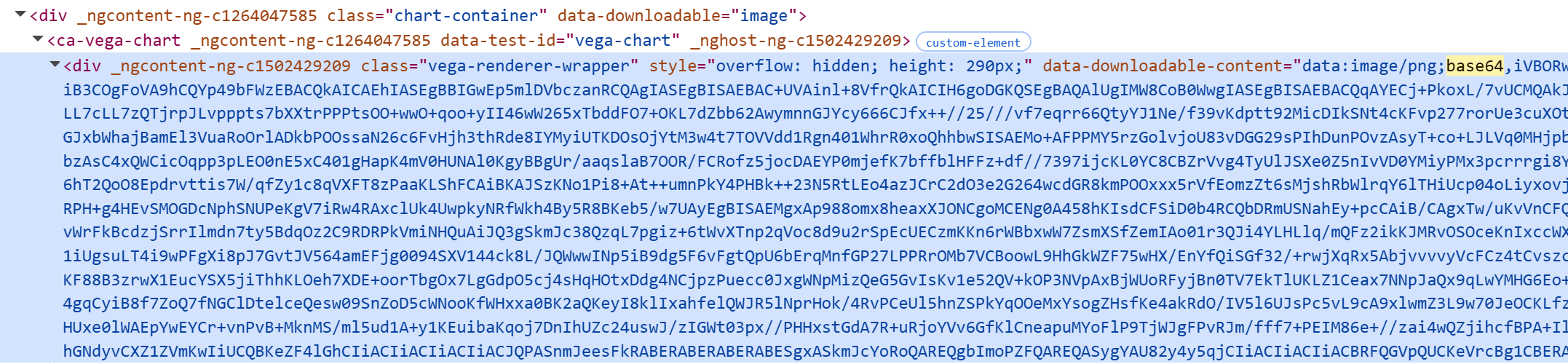
There’s just no button to get them out. Try it for yourself if you don’t believe me. Select the viz iframe as context (geminidataanalytics.cloud.google.com) and run this:
{
  const a = document.createElement('a');
  a.href = document.querySelector(
    '.vega-renderer-wrapper[data-downloadable-content^="data:image/png"]'
  ).getAttribute('data-downloadable-content');
  a.download = 'chart.png';
  a.click();
}
Yep, the chart PNG already exists, and it downloads it to your computer. Want the data for a table? Yep, it’s right there, too, as a nice csv within data-downloadable-content. Yes, downloadable-content. That you can’t download.
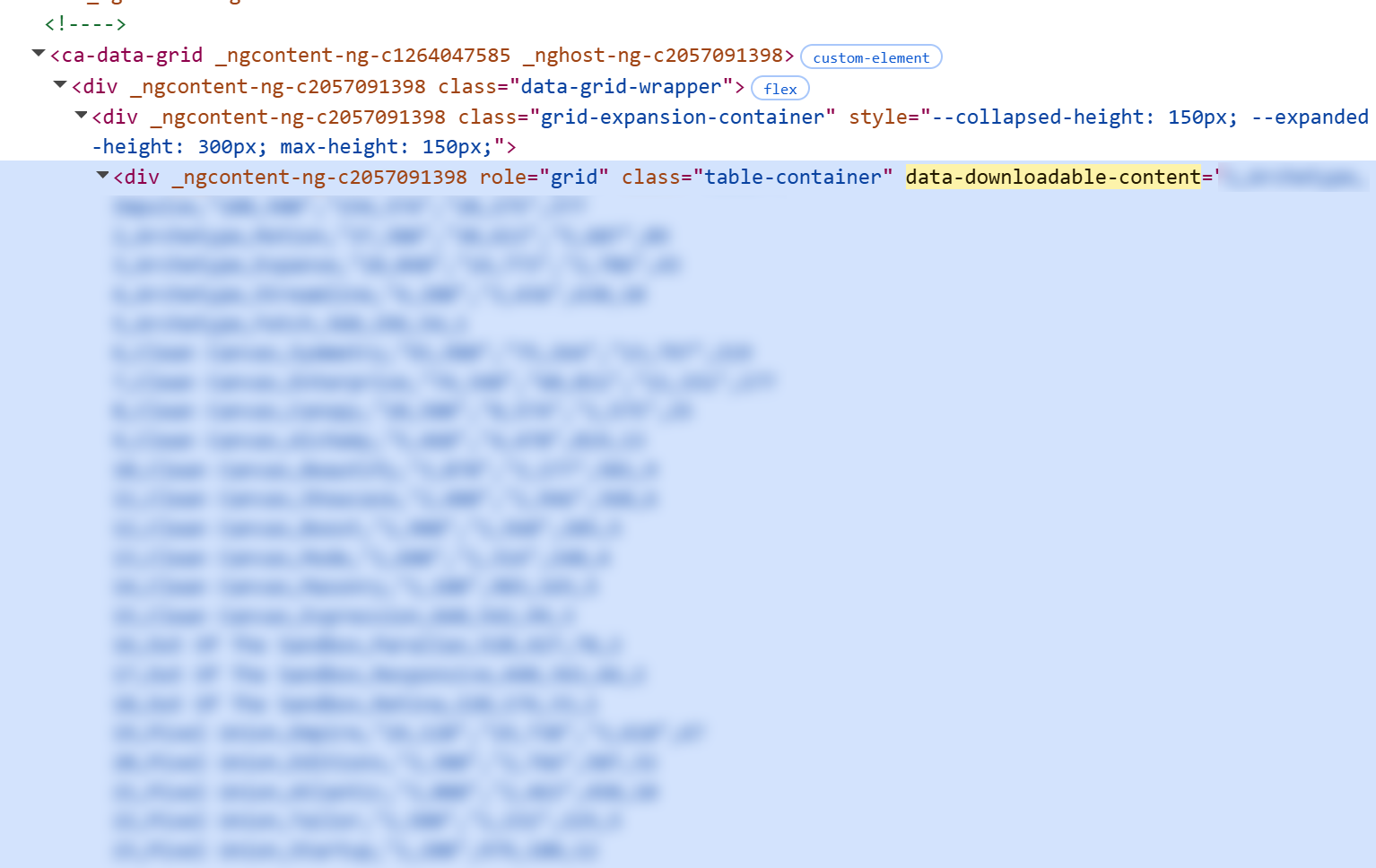
Run this in the same context as above, and the first table in your conversation will be downloaded as a csv:
{
  const grid = document.querySelector('ca-data-grid');
  const csv = grid.querySelector(
    '.table-container[data-downloadable-content]'
  ).getAttribute('data-downloadable-content');

  const headers = [...grid.querySelectorAll('[role="columnheader"]')]
    .map(h => h.textContent.trim() || 'Row')
    .map(s => `"${s.replaceAll('"', '""')}"`)
    .join(',');

  const url = URL.createObjectURL(new Blob(
    ['\uFEFF', headers, '\r\n', csv],
    { type: 'text/csv;charset=utf-8' }
  ));
  const a = document.createElement('a');
  a.href = url;
  a.download = 'table.csv';
  a.click();
  setTimeout(() => URL.revokeObjectURL(url), 1000);
}
Where are those buttons, Google‽ It’s literally a 5 minute job. The irony of seeing a data-downloadable-content attribute in the DOM already available, and not having any kind of UI to get that downloadable content is, to be frank, a quite impressive oversight.
It feels like someone built an e-commerce platform but conveniently forgot to create a checkout for it. Oops.
The verdict
I wanted to love this product, I really did. It checks a lot of boxes: it lives within the Data Studio interface (great for discoverability within the org!), it has native access to BigQuery (despite IAM permissions madness), and the agent creation capabilities feel complete enough without being overengineered. Having this within an existing GCP account is also great for speed of implementation, as there’s no need to go through an external SaaS provider approval process, manage separate billing, and so on.
But it seems like the actual product end users use is botched. No data export button for results? No “Copy” button for generated graphs? Are you serious? All this work under the hood to create the Toyota Corolla of Conversational Analytics, but you have to take the dashboard apart whenever you want to play music, because “ON” button for the radio is hidden behind the trim.